
Your findings.
Your judgement.
A clearer report.
Dictate your findings. FlowRad structures the draft and helps you check the details before you sign. You stay the author.
50 free reports. No card.
Open the free online DICOM viewerNo sign-up needed.
Already on the original FlowRad? Legacy FlowRad login.
From dictation
to signed report.
Dictate
Speak as you already do: the mic in Canvas, or a WhatsApp voice note.
Structured draft
Your template or AI-generated. Sections, house style and the pertinent detail, not a raw transcript.
AI check
FlowRad flags gaps against your dictation, the clinical question and the protocol. You tick what lands.
You sign
Review, edit, sign. Assistive drafting, never a diagnosis engine.
Check every report before you sign.
Run the check after the draft. Tick what you agree with and FlowRad writes a new version. Nothing changes unless you say so.
Your reporting day,
in one place.
Worklist to sign-off
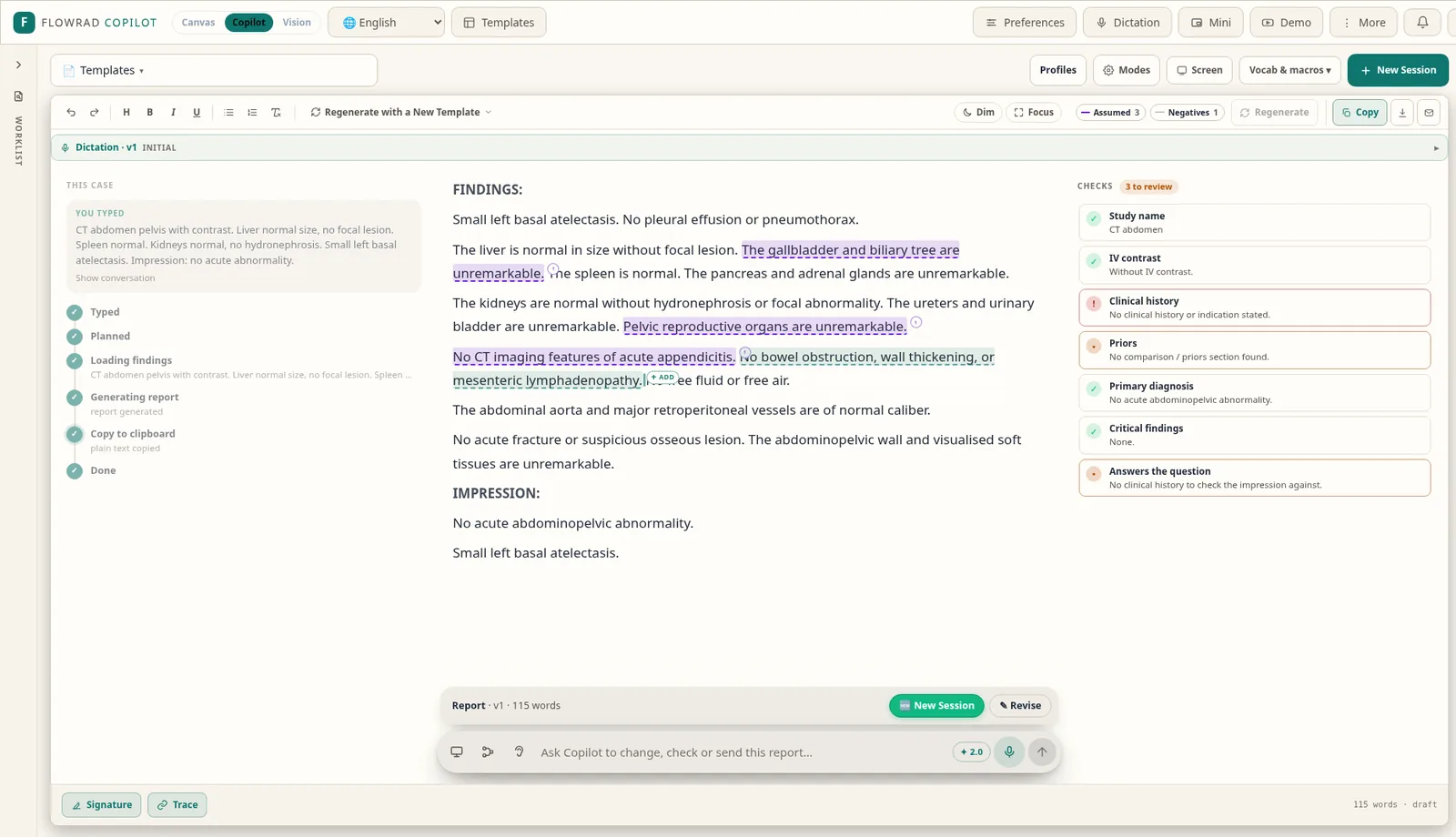
Worklist on the left, dictation and the structured report in the middle, the report check on the right.
Dictation in place
Raw and cleaned transcript beside the draft. Speak, then edit the report, with no separate scribe window.
Templates & house style
Use your templates or let AI generate structured sections in your own reporting style.
Versioned checks
Tick the suggestions you agree with and Canvas writes a new version. Every change is yours.
WhatsApp voice notes
Send a voice note and get back a structured .docx. Same account, same credits.
Assistive by design
You review, edit and sign. Verify every report before clinical use.
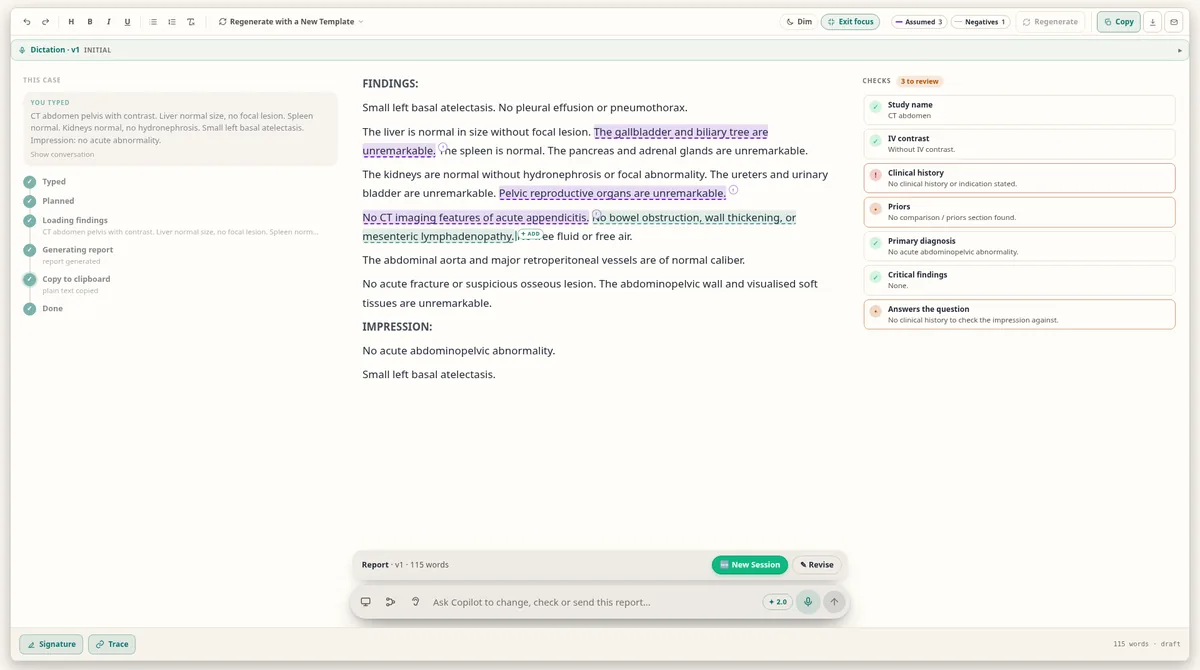
Dictate, review and sign
in one view.
Your report stays full width while you dictate, and the reading views help you check it before you sign.

Key images,
in your report.
Watches your screen while you report and automatically grabs and labels key images.
Review the images and labels before you sign.
- 01
Capture key images
Vision watches your screen while you report.
- 02
Add labels
Key images are labelled for the report.
- 03
Review in context
Check the images alongside your report.
FlowRad tools for radiologists.
 Live
FlowRad Canvas
Voice dictation into structured, checked reports. 50 free reports.
Log in to Canvas →BetaFlowRad Vision
Watches your screen while you report and automatically grabs and labels key images.
Explore Vision ↓FreeRadCalculator
Referenced radiology calculators and scoring systems, request-vetting guides and acquisition protocols.
radcalculator.com →LiveRadCrate
Turn a scrolled scan into a PACS-style scrollable stack to share as a file or link. Processed on your device.
radcrate.com →Free · No sign-upFree online DICOM viewer
Open the FlowRad DICOM viewer online, free and without signing up.
Open DICOM viewer →LegacyFlowRad Legacy app
The original FlowRad.AI report generator. Existing accounts keep working.
Open app.flowrad.ai →Pricing: 50 free reports, then pay per document.
One credit is one finished document. 50 free reports to start, no card and no hospital contract.
Monthly
₹3,500 / $42
1,200 documents a month. Canvas + WhatsApp. Cancel anytime.
Annual
₹30,000 / $360
14,400 credits up front. Credits never expire.
India checkout adds 18% GST. Top-ups available. Centres can email for volume.
Frequently asked questions
Does FlowRad write the diagnosis?
No. FlowRad is assistive only. It drafts and checks; you review, edit and sign. You remain the author.
How do I start?
Open FlowRad Canvas and start with 50 free reports. No card needed.
I used the original FlowRad app. Can I still log in?
Yes. The legacy app remains at app.flowrad.ai with your existing login.